Showing posts with label fallout. Show all posts

Friday, November 30, 2018

Fallout 76 - Stuck In Power Armor? Here's One Way To Get Out Again... [Tutorial]


[Text-Only Mode: This post is initially being Uploaded as Text Only, to speed up posting time and enabling it to reach people faster. I may return to this post and add some Screenshots for it... Soon™]


I personally ran into the issue of "not being able to exit my Power Armour" earlier this week - then saw that literally dozens and dozens of players have run into this in Fallout 76, after looking around online. Now, the game just officially launched Online only a couple weeks ago almost to the day, so I expect there to be some issues and/or bugs (not many Online game launches are 100% Bug-Free and Problem-Free). Bethesda does helpfully have a method posted at their Support Site for 76, but sadly, that method did not work for me personally. Here then, is my method that got me free of my 'Starcraft2-like-mobile-prison' of Armour - hopefully it can work for you too, friends:


(Taken from my original posting at the Official Bethesda Game Forums, reworded slightly)


If I may help, with something to do when this happens:
  • Stash or otherwise get rid of all Fusion Cores, except the one in the Armour
  • Deplete the FC until Zero (Power Attacks in the PA help)
  • DO NOT EXIT THE POWER ARMOUR once it reads "Zero, get the hell out"
  • Restart Game
  • Upon entering a new game, you should be able to Exit the PA by holding the key used to enter it

That's it! Now you should be free of your metal moving tomb and able to utilize Workbenches in the world, once again...

Initially, I had not found a solution that worked for me anywhere online (in Forums, etc) - and as those who are experiencing this know, being 'stuck in your Power Armour' impedes the game quite severely actually, as you cannot use Workbenches/Workshops at all and cannot even Repair your Power Armour (as you cannot Exit it, to Repair it in a Power Armour Station) - so, I opened a Ticket with Bethesda about it, a week ago. They were actually quite speedy to Reply, pointing me to their online Support Site, at their Knowledge Base, where there was an Article stating two things to try (one of 'just logout' and another of 'unequip pieces of armor and wait two minutes'), found at: 


As of the time of this writing, I see that they have also Updated the Article (just today), adding a slightly-modified version of my method above, that I submitted to them as a Reply (where I "found out a way that worked for me, which was not one of the other two helpfully-suggested methods") - that's fine with me if they found a repeatable method of their own; as long as others are helped in escaping their 'mobile prisons of steel', out there! 

Hopefully, the incoming December 4th Update of 76, will help with this issue, clearing it up for everyone. Until then, try out my method above - perhaps it will be the one that works for you, dear reader - and See You In Appalachia!


Sunday, November 18, 2018

Fallout 76 - One Way To Enjoy This 'Odd Fallout Game' More... [Editorial / Mini-Review]

[This post is currently Text-Only Mode, for now. I will be returning and adding some Screenshots gradually, 
but I wanted to quickly get this Posted, to help others that were initially disappointed, like me, possibly enjoy 76.] 


Before I even finish a 'First Impressions, From The B.E.T.A. And Beyond' post I am working on, I wanted to quickly post something here that might help those that are feeling 'frustrated' with Fallout 76... 'Disappointed' perhaps, as I was at first - although I couldn't put words to the feeling right away - all I knew is I was looking forward to this 'next fallout game' and thinking it was going to be "bigger and better than Fallout 4", only to feel... well, 'disappointed' is about the best word I can utilize really. All other words I would say, would come out of that feeling. The feeling that Fallout 76 gave me - a long-time player of Fallout games - having played every one in the series, spending over 2000+ hours in the Commonwealth of Fallout 4, building up Settlements and ignoring the Main Questline... it wasn't initially a good feeling, this game; and so I wanted to help other Gamers, here. Others that felt like I did. Gamers that enjoyed past Fallout games and really wanted to enjoy this one... #ReallyWantToEnjoyFallout76


While trying not to repeat too much of what I am putting into my 'First Impressions' posting, in progress, let me summarize what I went through - see if it is the same as you, my fellow Appalachian Vault Dweller [no big spoilers, some Game Concepts and Tips included]:


  • Start the game with wide eyes, big smile, drink nearby, ready to start exploring a huge, new Fallout world!
  • See the models/meshes are mostly the same as Fallout 4. That's fine, I guess. They are allowed to use their own assets over again. 
  • See the controls are odd, different for every 'category' of gameplay (such as Building vs Combat). Oh it was designed for Console first. That's fine, I guess. I'll get used to the controls over time. [I personally don't want to bash Consoles, I like them as well. Although it makes game developing companies 'hold back' a bit, to try to stay within the limits of consoles (as opposed to pushing the limits of what PCs can do these days); I think we should all try, as Gamers, to get along #GamersNoMatterWhat ]
  • See that there is not much to interact with in Vault 76. It seems not only 'abandoned' but 'dead'... That's fine, I guess. They want to push you out into the big world quickly. Here we go!
  • See that the world looks beautiful... even if a 'dated' still. Some aspects are fantastic, so pretty; but some seems to be rehashes of Fallout 4 capability. That's fine, I guess. Is it a new engine that can't fully utilize yet? Or is it the old game engine with a bunch of tape and gum and Band-Aid™'s on it - enough to make it look almost like a new game engine?
  • See that the animations and movement and combat are a bit... 'clunky'. V.A.T.S. is odd and doesn't slow down the game. That's fine, I guess. It can't slow down other players, due to there being some kind of PvP in this game, I heard, so that's fair I suppose. It's like a weird Aimbot really, one that only works if you have enough Action Points. That's ok.
  • See that 80% of the models/meshes are the same as Fallout 4 - along with the issue of "many Textures 'loading in low-rez versions' sometimes" - just like Fallout 4. That's fine, I guess. If it's their old engine, with the old texture problems... Maybe they'll solve that someday. It doesn't look bad on HIGH Textures Setting, even though it makes it 'choppy' or 'stutter' for me.
  • See that there are literally no other Humans, other than a few Players you bump into - but you don't see many, often. How many people are on this world? Oh, it's just one Server out of many? Oh, it's only about 20 people? That's fine, I guess. They can't put thousands of players on one server, I suppose. Still, I'm not seeing people that often. That one guy tried to kill me. That one person tried to Trade but it didn't work. Oh well, I'm going to play more 'solo' style anyway - I usually play that way.
  • See that the 'no Human NPCs anywhere' takes a lot of the 'fun' out of the game. There is no longer a purpose or reason to do all of these things, it feels like. It's fun for a while, but soon gets 'dull'... That's fine, I guess. They are trying to make it more of a desolate, isolated world I suppose. Trying to really make it feel 'dead' and sad... Aren't they? That has to be why. 
  • See that you don't seem to bump into other Players very often, other than at the very start, and when you do they either try to kill you or help you with one Quest then run off on their own. That's fine, I guess. I was going to play more 'solo' anyway. Oh, this House I can build (the C.A.M.P.) is cool. Maybe I'll leave these benches out in the open so others can use them. Oh, I can lock the door? Nah, I'll leave it open, so other Vault Dwellers can use my stuff and maybe have a pick through my garden!
  • See that you can only hold 400 'pounds' of items in your Bank/Inventory (called a Stash). What? It's already full and I'm not even Level 10! How the heck am I supposed to collect anything for Building, Crafting, Maintenance of Armor, Maintenance of Weapons, I have to Plant Food and collect Water... This 400 'things' limit is going to be rough...
  • See that the Quests are all given by Robots or Holotapes. See that the world is large, but it also takes a long time to get anywhere - unless you want to spend Caps to Fast Travel. That's fine, I guess. I'll sell some of all this Scrap and stuff I have, I'll get lots of Caps soon. Especially since I have to Sell so much, due to the '400 Stash Limit'.
  • See that the Vendors/Merchants are all limited to 200 Caps. What? That's fine, I guess. Fallout 4 had Vendor cash limits too, I'll just hop between different Vendors and clean them all out, which will also allow me to see what they all have for sale...
  • See that almost all the Vendors are 'linked' [by Faction] where you can't just 'go to a different Vendor and Sell more stuff'. What?? Only 200 Caps? And these guys are LINKED? How the heck am I supposed to get rid of all this Scrap and Ammo and things, without being able to Sell to different Vendors? This is getting wacked...
  • See that you can go far across the Map, to find different Vendors of different Factions, that will have more Caps to Sell to - but find that they too, are limited to 200 Caps. Also, see that it costs Caps to Fast Travel - and you can't Fast Travel while Overencumbered anyway. That's fine, I guess. You couldn't Fast Travel in Fallout 4 while Overencumbered. But I really want to Sell all this stuff I'm not using. Hell, I Scrapped those 16 Weapons from that last Quest alone...
  • See that your Stash is Full, you can't Sell to Vendors, everything takes up Space, while everything still has Value (to Build, or Craft, etc etc). What the heck?? I basically have to stop Looting...  Have to stop picking up things... in a Fallout game... this doesn't make any sense...
  • See that it is possible, that they are trying to force Players to interact. Make you Trade with others, selling or giving your stuff away, instead of Collecting to Build/Craft with and/or Selling to Vendors for money. That's fine, I guess. I also see that you can only build 'ONE HOUSE', which is mine (the C.A.M.P.), so that's ok I guess. I suppose I don't need all this building material. But still... this is crazy that I already feel like I 'can't pick anything up' as often. In a Fallout  game!


It was at this point, that I realized that this game is so different ('yet so much the same') that it required a change of state of mind. I was playing Fallout 76, 'like Fallout 4' - and was coming up against walls and limits and differences - and becoming more and more disappointed...


The world does seem huge, that's good. It doesn't look 'bad' but it looks 'wierd'. The graphics aren't too bad, but if I turn them down just one notch, they start to look 'ugly' really fast. That's a bit wierd. Also, things seem to be 'lumped together' somewhat. For example, Bump Mapping and Ambient Occlusion seem to be controlled as part of the "Shadows" Setting ('bumps on things made by shading' and 'shadows that objects cast on nearby objects', respectively). If I turn down "Shadows" even one notch (from ULTRA to HIGH), these elements look 'bad' quickly...[I'm not a Developer or Programmer, so maybe that's how those things are supposed to work - personally, I thought those elements fall more under "Lighting", etc].

As of the time of starting this Posting, if I turn everything up with the ULTRA Setting, it looks pretty good actually, but it's 'choppy' and 'stutter' is there, for me [kind of like how it ran for me when I tried the High Resolution Texture Pack in Fallout 4 - yet some Textures still load in 'low rez' (like Fallout 4 did) lol]. Oh well, I'll put up with that, for now. Maybe someday I'll be able to Upgrade and enjoy it with the ULTRA Setting all over again [I often do this with older games, going back to them and 'maxing them out', enjoying them all over again at their highest settings]. Since I play more 'solo' style anyway, I don't have to worry about it leaving me open to dying to other players nearby as much, or ruining other teammates' experience with my 'lag' (by being affected by the stuttering/lag due to graphical settings).


There are other players in this Fallout iteration - one of their main Selling Points - but I don't seem them too often... In the Screenshot above, there are actually a couple other Players in Vault 76, during the B.E.T.A. when this image was taken; but I seem to be the only one interested in exploring the Vault itself, playing with things and actually watching the Training Video [lol]. I don't mind that I rarely saw people in the game, especially when some of them are just trying to fight or kill me anyway. Come to think of it, why don't they make PvP servers and PvE servers? ARK, another 'open world, survival game' does this - heck, one of the most successful MMO games of all time, did this - World Of Warcraft. If they made different servers for each game type, both parties would be happier, I think. PvP'ers can attack and fight anyone at any time, something I think they wanted to do in this game (my personal idea is to have PvP Servers be "Always On PVP" - that means no Pacifist Mode! Isn't that what PvP is about?). PvE'ers can Explore and Quest on PVE Servers to their heart's content, not  having to worry about getting killed or their C.A.M.P. vandalized while they are away [I personally had some of my house destroyed by vandals already - oh, animals can attack your home? Maybe it was them, too - either way, in a fully-PVE Server, you won't have to worry about others wrecking your home].


I also notice that I am constantly stuck at 400 Stash Limit and opening my Pip-Boy everywhere I go, to play "Inventory Management 76" after doing anything... You can see just above, my Weight Capacity (carrying items on person) is 230 units at the moment, and the Stash is shown on the right (the 'bank'), and it is almost topped out at 400; and this happens very easily and is like that almost all the time afterward. It's getting pretty annoying, frankly. I am seriously feeling like I am 'not wanting to pick things up' - and that's bad, for a Fallout game... Doesn't everything have Value, even Junk, since Fallout 4?


Maybe, I thought, I have to change my approach this game... 


Playing Fallout 76 'like it was Fallout 4' is just getting me more annoyed and disappointed every game session. So, I took a moment to step back and look at how Fallout 76 operates (and how it is different than Fallout 4 - remember, it is a 'side step' or 'spinoff' of the Fallout Series - they even stated specifically that it is not to be considered "Fallout 5").


In Fallout 76, you don't build up Houses on end, entire Towns like you do with Fallout 4 (the Settlements, something I had a ton of fun building up for my little Settlers, keeping them happy). OK. Then I don't really need all this Building material/Scrap for that, now that my C.A.M.P. is pretty much complete.


I have a little Cabin, Water, some Food growing, some Turrets up on the roof, all the Crafting Workbenches I could build, my Stash and a Bed to Rest in. I'll leave my Door open/unlocked so others can use my C.A.M.P.; I'm pretty much set, anyway. I'll just try to collect less of Building mats now then. Maybe I'll Sell what I can to Vendors [that 200 Caps limit, ugh] and I guess... I'll have to Drop the rest. That makes me sad, but I guess that's the way it is in Fo76.

In Fallout 76, the game limits how much you can Carry (which is the same as Fallout 4, limited by your Strength) but 76 also limits your 'bank' or 'workshop inventory' (the "Stash" mentioned above). It is no longer 'Unlimited' like in Fallout 4 Workbenches, but capped at "400"... That's crazy to me, but maybe it's to force people to interact with other Players more. Sell stuff to them, or give it away to new players. Hmmm. I guess this means, I'll be 'dropping' a lot of stuff, since I still need Materials for Ammo, Armor and Weapon upkeep, Food and Drink crafting, etc. Literally just throwing stuff away will take some getting used to (since in Fallout 4 I could eventually Sell it all, somewhere or another..). Maybe I'll drop it near the Starting Areas, to help others out! That will help make dropping all that stuff feel better [to me, heh].


The world is huge. Not 'absolutely immense', but it does seem larger than Fallout 4 so far [I personally have seen less than half of the Map, but more than 1/4 of it, so far]. Fast Travel costs Caps, the farther away, the more it costs. I'm paying about 30 to get horizontally across the map, crossing two large areas... Okay, I'll have to walk more, instead of Fast Travelling (especially since I'm Overburdened after clearing out an area, or doing a Quest).

Capture by Bethesda

The world is also 'empty' feeling. I mean, it looks pretty good actually - the architecture, the surroundings, the visual effects - but this "No Human NPCs" thing makes the world feel pretty depressing... Why even do Quests? Who am I helping, doing them, since everyone is dead? I rarely run into Players, so it can't be them. There really is something psychological, to 'picking up' and 'turning in' Quests/Missions to human beings in games... Maybe they'll increase the number of Players on a Server someday. I dunno.


You know what? The huge, open world. The lack of NPCs - the only 'mobs' (mobile NPCs) are enemies, and they are kind of spread out a bit. The game seems to be more 'exploring' and less 'interacting with others' (as a 'Solo' style player). You know what this reminds me of? Minecraft.

With Fallout 76's huge, open world, the ability to 'fight' with other players if you really wanted to; but mainly the goals seeming to be Explore and Experience the world, 'open but barren' as it is - to me, this is indeed much like Minecraft, or even more apt perhaps, No Man's Sky [Now Including "Game Release Disappointment"™! lol BTW, No Man's Sky is more fun now, with Base Building and more NPCs and Missions and Shortcuts put in it]. Maybe I'll play 76 that way... Explore. Quest. Survive. [don't make Metal Gear: Survive joke... don't make Metal Gear: Survive joke...] Less like Fallout 4 and more like Single Player Minecraft, or No Man's Sky, yeah. A huge world to explore, mostly barren of other NPCs, save for Enemies. Think: MC or NMS...


You know what? After playing a while with this mindset; I am really enjoying the game more! 
It's weird, the less I play the game like 'Fallout 4' and the more I play it like Minecraft, more like a "Fallout Metal Gear: Survive" [sorry I couldn't resist] - the more I am finding I am actually enjoying Fallout 76! The more I play the game like 'No Man's Sky' [trying not to make the 'game release disappointment' joke again...], the more that I just Explore and Quest and kill the Enemies I run into along the way - and try not to think of Fallout 4 - the more I am actually enjoying this game.

Note: this thought concept (line of thinking) is probably geared more for a Solo-style player of the game. A PvP'er might have more fun thinking/playing it like Planetside 2 or even more so, Ark or Rust. I personally still think they should have separate PvP and PvE servers though - as it is, both parties are not happy with how they play together. PvPers can't start proper fights and PvE'ers are annoyed at the ones that want to fight... Beth, wouldn't separate servers that allow both parties to experience the game how they want, solve that?


Anyway, I've stated my point and now I'm rambling [well I guess I did call this an 'editorial' so it's sort of allowed, heh]: the less that I approached the game like Fallout 4 and the more I played the game like it was Minecraft or No Man's Sky, the more I enjoyed Fallout 76... They did say it was 'different', they did say they were 'trying something new'... So maybe we shouldn't approach this game like it was "Fallout 4.5"...

There are a lot of issues with the game, a bunch of bugs (insert Bugthesda joke here), a lot of changes that can happen to improve the game; but as it stands, it is not a total loss, even though the game does 'feel' quite despondent (lonely)... This is a different 'branch' of Fallout, a different experience. They've even stated that "this is not Fallout 5" and "the next Fallout 5, which will be Single Player" is going to come - which is fantastic and awesome for us Fallout Fans - but that also means that this is not it. The more I keep this in mind, the more I play this game like the open-world, exploration, survival game that it seems to be; the more I am enjoying it. At least, it has helped me. Perhaps it will help you, too. 


See You In Appalachia!

~Troy from The Game Tips And More Blog


Sunday, October 21, 2018

Deals And Sales - Hitman Series Publisher 20th Anniversary and Humble Fallout Franchise Sale [Notification]

Just a quick Notification that there is a fantastic Sale going on this weekend that you don't want to miss before it's over, concerning two of my personal favourite Franchises: Hitman and Fallout.


For Hitman, it is the Publisher's 20th Anniversary (Happy Anniversary, IOI!) and they are celebrating with us all, offering a whopping 75% OFF at Steam.


This includes all past Hitman games and even the newer Hitman 2016 - for example, you can get the "Hitman Collection" (shown above) for less than $10 USD, which includes all of these past Hitman titles:

  • Hitman: Codename 47
  • Hitman 2: Silent Assassin
  • Hitman 3: Contracts
  • Hitman: Blood Money
  • Hitman: Absolution Elite Edition


Even the newer Hitman 2016 - Game Of The Year Edition(!) is on for less than $20 USD!


For Fallout, Steam is calling it a Weekend Deal; but at HumbleBundle, it is called a "Bombs Dropping Sale" [hopefully not 'really' in real life - we need more time to play these great games! lol]. Want to play the Original "Fallout 1" or finally own "Fallout New Vegas"? They are less than 5 bucks each, right now!

Example of Sale Prices at HumbleBundle for the Fallout franchise


So, if you have been waiting patiently for Hitman 2016 or Fallout 4 to go on Sale, this is it! Now is the time! GOGOGO!


Question: Will I like Hitman 2016, if I liked previous Hitman games (other than Absolution)..?


If I may sum up the Hitman series so far (even though some of you might already know parts of this), the Hitman series was never really a 'play through a long storyline linearly through, a level at a time' game, like other games. That is why so many people liked Hitman. You had to figure out what to do by observing, exploring, finding things out on your own. That is also why some people didn't like Hitman - it was too difficult for many, not knowing where to go or what to do, at first. Overall though, Hitman games didn't have a linear level direction and one-directional-storyline to play through, one map at a time, like most games.

Hitman always was more of a 'play in a sandbox with some story plots around, non-linearly through an area at a time, figuring out all of the ways you can get a mission done, finding out which is the best for your playstyle (or what is required for a mission)'. Absolution wasn't like this as much as previous games; Absolution was more linear, like a traditional game, with one long Storyline and the areas had more of a linear playthrough style (only 'one large way to go' overall, in the levels).

Hitman2016 has both elements, it does actually have a bit of an over-arcing Storyline; but each area is its' own 'sandbox of puzzles and death' to play in. There are so many ways to get through a level - and the guidance/radar isn't as 'hand-holding' as it was in Absolution (one aspect many didn't like in Absolution). There are tons of Challenges ('special ways to do things') and lots of Unlocks (weapons, disguises, locations) per area.

My favourite part of Hitman2016 is the dynamic music - it changes on-the-fly to suit what you are doing - from sneaking, to exploring, to combat; it changes its' dynamic/pace/theme based on what you are doing, or even going to do... If you ever wanted to be in a 'Bond/spy' type of movie, sneaking around and interacting with people to music that changes as you do it all - this is it.


[I think that HITMAN2016 is one of THE most Polished versions yet... While it has only a few 'levels', they are huge and have literally dozens of play-throughs for each and every one (missions, escalations, contracts by players, etc). The graphics are great, the twists and turns of the [smallish] plot(s) are interesting, there is a good handful of weapons/toys to choose from; everything is great in HITMAN, imo!]


Note: I am not affiliated with, or partnered with, the above game publishers or developers or websites, in any way; and I have not, and will not, receive any compensation in any form, for mentioning them here. There are no Affiliate Links or other connections herein, to follow. I am merely an enthusiastic gamer that likes to share helpful information to other gamers, when I can. 


Tuesday, September 18, 2018

Quick Tip: Fallout 4 - The Achievement "Benevolent Leader" Can Be Obtained At A Raider Outpost


Just a Quick Tip that the Achievement "Benevolent Leader" in Fallout 4 can be achieved at a Raider Outpost (which are kind of like Settlements... but for Raiders... and they don't Farm... or like to Work at all... or do anything really... lol).


I have not been feeling well lately ['fighting something' heh], but I've been having fun playing Fallout 4 again, when I can. One of the many aspects I like about Fallout 4 is that, it is a game that I can play 'Slow' if I need to (Exploring, Scavenging, or listening to Diamond City Radio while Building Up some Settlements) or play it 'Fast' if I have the energy and/or feel a bit better (Questing, Fighting, Looting Enemies and cleaning out Locations), it's great; I love that I can play this game fast-and-hard like it was a "Just Cause" game or slow-and-sneaky like it was a "Hitman" game, heh.

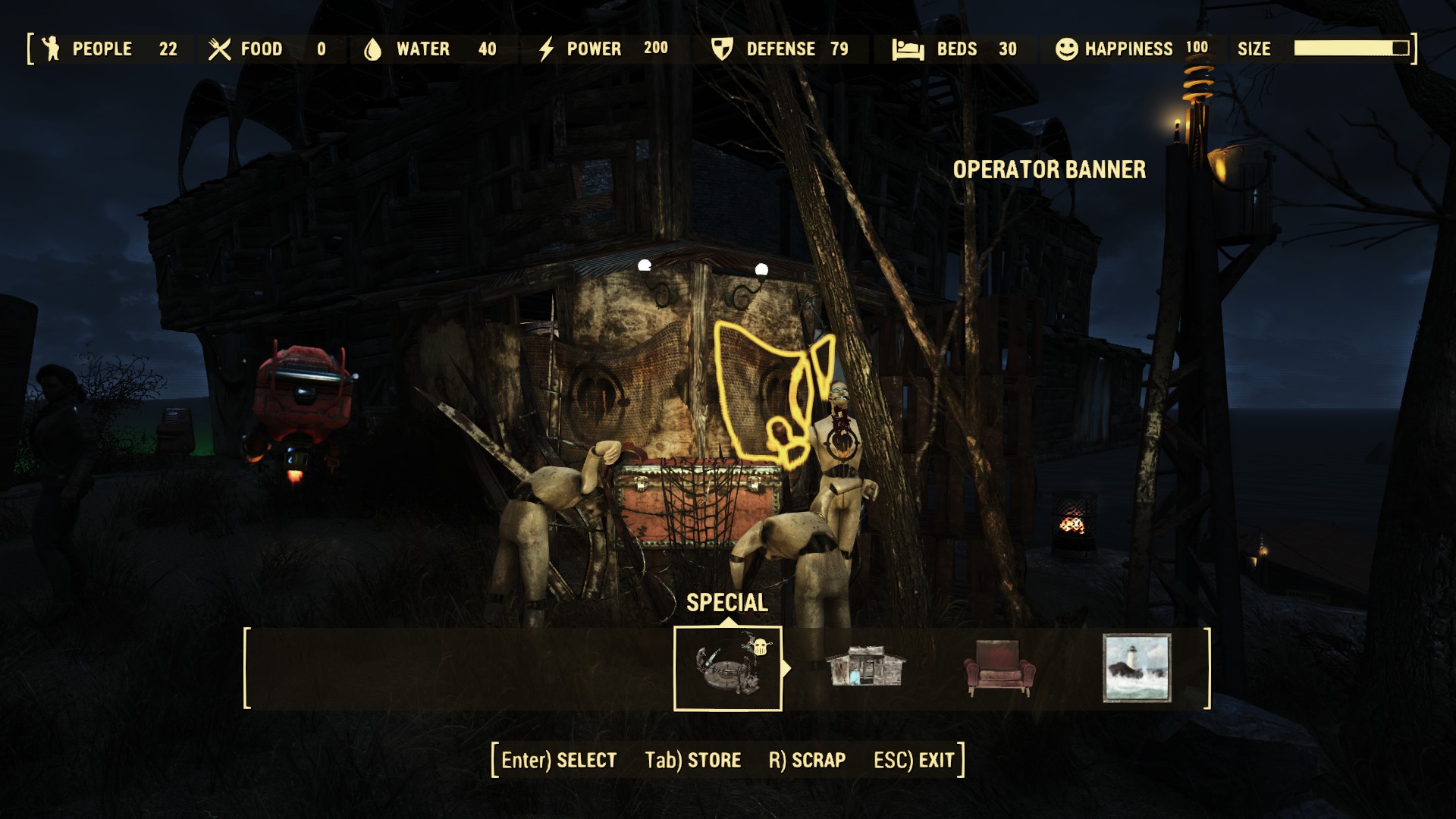
Just the other day, I got my first-ever '100% Happiness Settlement' and Notification in the game - only it wasn't a Settlement per se - it was a Raider Outpost [Nuka-World DLC]! I was so surprised - I didn't even know those were eligible for that Achievement, woot! Thus, I wanted to share, both my Achievement/Celebration and the information that it can indeed be obtained with a Raider Outpost:


In my case, it was achieved at the Kingsport Lighthouse Settlement/Area, converted [taken over] into a Raider Outpost...

[Going to end this here, keeping it 'short and sweet', so that I can post more often (versus longer posts less often), if I can] 

GL to all those going for the achieve!

~T

Saturday, September 30, 2017

Fallout 1 - Get It For Free... Happy 20th Birthday! [Notification]


Just a quick notification that, in celebration of the Fallout's series debut, exactly 20 years ago to this very day, it is Totally Free on Steam, right now, from Bethesda - but only for today... Grab it before the end of the day and play one of the most RPG-Genre-Expanding, Post-Apocalyptic-Exploring Classics of PC gaming. Have fun (and thank you, Beth)!


http://store.steampowered.com/app/38400/Fallout_A_Post_Nuclear_Role_Playing_Game/


Addendum:
After trying the game out (not playing it since I had the CD version way back when!), at first, all I got was a Black Screen, but I could hear the audio of the game playing in the background... After doing some light troubleshooting, including re-installing DirectX and other steps, the easiest 'solution' that I eventually found was to simply choose the "Classic Version" from the Steam Launch Options. Here is what that looks like, below (these options did not show up if I used the Desktop Shortcut or clicked on the .EXE file to start the game, but they appeared consistently if I used the PLAY button in the Steam Client):

Tutorial Screenshot of simply choosing the alternate version of the game to run, if you encounter a 'black screen', where you can hear the audio of the game, but not see anything else concerned with the game
(Click to see Full Size)

After choosing that version, above, the game repeatedly ran fine with audio and video together in harmony, on my system (currently an AMD FX-8350 CPU and NVIDIA GTX 1060 GPU running Windows 10). I hope it works for you dear reader, as it did for me, if you run into that little initial problem... Enjoy!

[Note: It is unclear at the time of this posting, if the game it completely free 'forever', or if it is just 'free to play' for the day - UPDATE, it indeed seems to be permanently part of my Steam account - a nice 'gift' from Bethesda!]

Sunday, July 09, 2017

Fallout 4 - Things The Game Doesn't Tell You Or Explain To New Players Very Well (in Point Form) [UNDER CONSTRUCTION / LIVE UPDATES]

[Note.: This post is 'LIVE' and 'UNDER CONSTRUCTION', as I continue to add more data and Tips and Example Screenshots to it eventually... I decided to make it available now however, to assist those playing Fallout 4; especially those just starting out - seeing as there was a Steam Sale on (Welcome New Players, heh). I will be adding more Text and Tips and Screenshots and More and this post cannot be considered 'finalized' until after I add a 'Final Footer Image' to the posting (see some of my other posts for examples of this type of 'end image' I put in my posts). Please excuse changes as they occur and temporary mistakes and spelling errors, which may show up should you return to this article while it is under development. Enjoy, however - I hope you find something helpful to you - and have fun in Fallout 4!]


At the 3000 Hours Played mark now, I'm having a ton of fun playing Fallout 4 [as I always say, 'spending too much time Working On Settlements and ignoring the Main Storyline'] - but I wanted to share a bunch of things that I had to 'figure out on my own' in the game, or that I saw others had to (in forums, etc)... There is a kind of Tutorial in the first town/area in the game, and when you first start out some things are explained, and when some things are 'unlocked', but not much is explained in detail after that (there are some Instruction Screens the first time you Lockpick or Hack A Terminal). Below then, are a handful of concepts, in point form, that I wanted to share; especially for New Players, that the game doesn't quite cover (or 'cover enough'):


  • If it says "You lack the requirements to create this item" ... and you have the requirements and Perks listed... there can actually be more Component requirements (build materials needed), you have to SCROLL DOWN on the Requirements List (labelled "Requires") to see them - for example, on the PC you can place your Mouse Cursor over the item requirements listing and Scroll the Mouse Wheel, to reveal the other Required Materials that are not showing. It should show a downward-facing chevron (looks like << ) to show that there are more of the list to see

  • How to Holster your Weapon: Hold R for a moment (on PC, by Default); the same key as you have set for Reload (The game walks you through Aiming and Reloading, but does not seem to cover Holstering)

  • Weapons do not need to be Repaired in Fallout 4, but Power Armor can be damaged and need Repairing at a Power Armor Station, which can be found in Towns and Settlements, and can be Crafted in Workshop Mode as well (they require two Perks/Skills; Armorer (Rank 1) and Local Leader (Rank 2))

  • How to use the VANS Perk so that it shows the 'Trail to Follow': (See my article on V.A.N.S. ... hold Q for a bit, then put away Pip-Boy right away with TAB and the 'smoke trail to follow' should be left behind)

  • You can adjust the Difficulty at any time in the game, even if it is just temporarily (such as if you are ill and can't fight as well for a while). To change your Difficulty, bring up the Menu while playing (Escape on the PC), then go into the Settings, then into the Gameplay category, changing the Difficulty in there, from Very Easy all the way to Survival Mode (where you have to Sleep, Eat and Drink to stay alive and everything is ultra-hard to kill!). The chance for Legendary Items (and the Legendary Enemies that carry them) increases with the Difficulty - but you can also increase the chance of Legendaries by simply going further South and East, increasing the Difficulty of the Area/Mobs/etc - be careful!

  • If you TRADE with Dogmeat he can carry Items like all other Companions can (he can also wear Dog Apparel, such as Dog Armor or Dog Collars, if they are found in The Wasteland)

  • You can increase how much Robot Companions can Carry, depending on what parts you build them with (need Automatron DLC to build a Robot that can be your Companion [to 'accompany you on your Travels']), watch the "Carry Weight" Amount as you choose parts and put your Automatron together

  • It is "ok" to Drink 'the regular Water that is everywhere', it will still heal you a little; it is just Irradiated and causes some Radiation Exposure. If you are playing Survival Mode and have a container such as an Empty Bottle or Milk Bottle, you can also fill these containers at Streams or other bodies of water, to Drink or Cook with


Don't totally ignore Cooking (although you totally can, if you want to). Cooking various icky parts and gooey bits that you find in The Commonwealth not only heals you, most of the Recipes also give you 'Buffs' - temporary increases in various Stats - and things like Breathing Underwater or the ability to Carry More... Cook All The Things!


  • The RED Bar in your Health Bar (that is normally GREEN) is the level of Radiation you have acquired. It 'takes up space' in your Health Bar, because you cannot be "100% healthy" with Radiation Exposure, just like IRL, actually (in-game Radiation must be removed with RadAway or by a Doctor at a Clinic (who takes it away for a small fee))

  • The Water Pumps that are built at Settlements give 'Pure Water' from underground (it counts as "Purified Water" as it comes from underground where it has been protected/filtered from radiation by the land/ground, similar to how it would be IRL). The Water Pumps can be drunk from directly (like a Water Fountain) or the water can be bottled to drink later (if carrying empty bottles/etc) if you are playing in Survival Mode; you don't have to go all the way back to The Vault to get "Pure Water" [something I was doing in Survival Mode all the time - if you didn't know this, you can always run/travel back to Vault 111 to get "pure water" from the fountains there - I was filling my Bottles there in Survival Mode, heh]

  • To Build in a Settlement, go up to the Workshop Bench (always 'mostly red' colour, with 'tools' on it and usually located somewhat Centrally in the Settlement) and Activate/Use it. If you are "Allied with the Settlement" (helping them out or have already helped them out by Completing a Mission for them, sometimes it requires killing all enemies nearby) it will open Workshop Mode, allowing you to Build in the Settlement area

  • To Scrap in Workshop Mode (to 'break down an item/weapons/armor into Components you can use for Building Materials), look at it (drop it on the ground if you are carrying it) and hit SCRAP. Walk around a Settlement as soon as you can utilize Workshop Mode, looking for anything that you can Scrap in the area, for use as building materials. The items you Scrap all get 'broken down' into Components, which are the building materials themselves, the 'things you construct other things with' - everything being stored in the Workshop Bench itself as Inventory


You do not have to Scrap everything 'manually'/'one at a time'. Just STORE or put Junk Items in the Workshop Inventory ('trading with the Workshop Bench', called "Transfer") and when you want to Build something, the Workbench calculates if you have enough Junk Items to break down into enough Components to build with. It will show what you want to build as GREEN if you have enough estimated building materials to construct the thing you are trying to build. (You may also need certain Perks to build some things, watch the Requirements list)


  • People can 'steal' your Power Armor... Raiders can Steal your Power Armor if they come across it in The Wasteland, for example. Settlers can even take Weapons out of nearby Crates/Containers to use, when attacked. To avoid losing your Power Armor, take out the Fusion Core from the Power Armor ("Transfer") when leaving it, so that it cannot be used by anyone else (it is like 'taking the keys out of your vehicle') [NPCs don't seem to carry/use Fusion Cores on the Armor]. However there have been stories of cases where Settlers will take a Fusion Core out of a container in a Settlement and throw it in a nearby Power Armor Suit and run off with it to Defend the Settlement! Crazy. Although most of the time, the Settler will simply 'get out' of your Power Armor after the Settlement is Defended - still, take out Fusion Cores from your Power Armor when you leave it, so that noone (for the most part) can take your Power Armor and you can always find it where you left it.

  • If Items and Containers around you are 'glowing green' or looking like they have 'pip-boy radar on them', this is a result of the Highlighting from the Scrapper Perk. Any items that you 'Tag for Searching' for (eg. when trying to Build something and you didn't have enough materials, you can "Tag the Components for Search") will have this GREEN highlighting when the Pip-Boy detects you are close to an Item in the world that is made up of that type of Component (eg. Steel or Plastic).
    To turn this 'containers glowing thing' OFF, open the Pip-Boy and go to the Junk page in the Inventory tab, and change to component view by clicking on the Component View button at the bottom ('C' on PC).
    Then in this view, go through the Component types and clear the Tag For Search by doing it again on the Component type.
    Then, your 'Highlighted view' from the Scrapper Perk is turned off and Items and Containers will not 'glow green' around you anymore

  • Speaking of glowing green, unless you want your vision to be green-ish and REALLY BRIGHT every time you crouch (Sneak), don't get Night Person Rank 2 (Perk). Although the Perk does state that you'll get "Night Vision when you Sneak", unless you really want to be able to see really well (and slightly green-ish) in the dark or when you Sneak, hold off on Rank 2, or watch some videos on it first, to see what it looks like. [To some, the Bonuses are worth it - and they don't mind the way it looks - but personally, I did not like how the Night Vision worked/looked - it 'spoiled' the darkness and tension of nighttime in the game for me, on that character; and since Rank 2 of the Perk and the Vision are tied together (you cannot have one without the other), I personally avoid Rank 2 of the Perk, for now]

  • If you Exit the game (in any way except using ALT+F4), the game will Save your progress as an "Exit Save". Then, when you start up the game again and Load the Exit Save, it will [should] Delete that Savegame. Note that if you try to Exit the game with the Pip-Boy up, the game cannot Save your progress when you Exit to the Main Menu or the Desktop (be careful in Survival Mode!)

  • Don't forget to periodically see what Upgrades you can perform on your Weapons (to do more Damage) and Armor (to withstand/absorb more Damage) at Weapons Workbenches and Armor Workbenches. Some Modifications require Perks to 'know how to do them'; check the Requirements as you go through your Weapons and Armor, to see what you need to make them better


Tip: If you are having trouble killing things, look for ways to improve your Weapons to do more Damage and your Armor to protect you from it - with Modifications at Armor and Weapon Workbenches! Also, the further South/East you go, the harder (higher level) enemies you will face. Tread slowly, go back over areas you have been, to see if anyone has 'moved in' and left items/money around. Stick to the 'NW' as long as you need to (especially in Survival Mode)...


Speaking of Killing Things, here is how to fully utilize the Suppressor (the Weapon Modification attachment that actually works really well in the game; but it is more 'realistic' than 'silent'...).

Note: Knowing how to attach a Suppressor to your Gun requires the skill/knowledge, represented by needed the "Gun Nut" Perk of different Ranks (needing Rank 2 for attaching a Suppressor to Pistols and needing Rank 4 for attaching a Suppressor to Rifles)


Here are some Tips for shooting enemies (even groups) with a Suppressor on your gun - and staying undetected (silent):

» Shoot from a distance
(the Suppressor reduces sound, but is not "Silent", just like IRL)

» Headshot for instant kills
(most of the time, aim manually to help this, as the chance to miss is always present in V.A.T.S. With good aiming, that single shot can always be spot-on)

» Stop attacking your enemies for a moment
(they will look around at first of course, but if you don't move and don't shoot, they will not know what the hell is going on and if you wait longer, they will eventually even stop looking "thinking it was the wind/rats/etc")

» Repeat, killing the second enemy, and so on...

Try to remember that if you shoot too frequently, they can hear the direction (suppressors aren't silent, just like IRL) or can see the puff of smoke or something, because they eventually figure out where you are BUT ONLY if you keep shooting when they are Cautious and looking for you. If you stop shooting when they are looking for the source of the sound/attack, you will be ok. Remember, "low and slow...".


  • Weapon And Armor Attachments (Modifications made to Weapons and Armor at Workstations for each) can be taken off of Weapons and Armor you find and put on your own favourite pieces/items... As an example, take a 'Weapon you found on a Raider' to a Weapons Workbench and choose a lesser attachment/modification than what is present on the item. In this example, if you want a "Hardened Receiver" that is on a Weapon you found, choose one further 'up' the List of Modifications, such as a "Standard Receiver" and 'build' it on the Weapon you found; then you will be changing the Attachment and receive the "Hardened Receiver" Modification in the form of a small box 'kit' in your Inventory that you can then use on your own Weapon! Simply go back to your favourite gun at the same Weapons Workbench and see if you can put the new Weapon Mod ("the Hardened Receiver" with higher damage output) on your favourite gun


  • If people around you are glowing (looking, for example, red or green) and look like they have 'lines through them' as well, you may have a helmet of Power Armor that has the "Targeting HUD (Heads-Up Display)" on it as an Attachment/Modification. This effect is visible even if it is only active on a Companion's Power Armor Helmet. Simply remove or change the Targeting HUD Modification of the Helmet at any Power Armor Station, to disable the effect.
    If people around you are glowing red or purple-ish colour (looking like 'smoke' or 'fog' around them), you may have eaten some Food or taken a Drug that has the "Detect Enemies" effect (eg. Berry Mentats). [It is similar to the "Detect Life" effect in Skyrim]
    It will cause anything living to have a red fog or smoke effect around them. This is to aid in your detecting enemies nearby (it even shows through walls). This red effect will go away after a time, on its' own.
    Note that if you have a Companion that has eaten Berry Mentats, or has the Targeting HUD Power Armor modification, this will affect you as well.


[......I am going to add to this post, as I remember things that I already have forgotten and can't seem to bring back up at the moment to throw in here; but I still hope someone finds these concepts and Tips helpful - especially new players to the game..... Have fun with Fallout 4!]

Wednesday, July 05, 2017

Fallout 4 - V.A.N.S... What Does It Do? Why Would Anyone Want To Take/Use It? [Explanation with Example]

I saw someone ask this in the Official Steam Forum, wondering why someone would even pick the VANS Perk (the Skill to use it) while levelling. I wanted to come back here and post, as a Quick Tip perhaps, a short explanation on what V.A.N.S. actually does (and how it can be helpful to players).

Briefly summarized, V.A.N.S. is a Perk of Intelligence (requiring only 1 INT to Unlock) that lets the V.A.T.S. interface 'show you the way' to your marked objective/quest/mission location. An example I recorded of how it looks, is below:
Recorded aboard The Prydwen, this is a short example of how VANS looks in Fallout 4.
(Reduced size, framerate and quality, to fit Upload requirements at Steam)
Click to see slightly larger Full Size

To use V.A.N.S., simply hold the Hotkey for opening VATS for a short time (eg. on PC, instead of hitting 'Q' quickly once, to enter V.A.T.S., hold it down) - let go of the 'Q' key, after about two full seconds or so - even if the Pip-Boy has not fully opened yet. Then hit 'TAB' to close the Pip-Boy right away, once the 'green trail' is seen.
You do not need to move or turn at all, until after closing the Pip-Boy fully (for example, I do not use the mouse at all to use V.A.N.S., on PC, I just open the Pip-Boy with 'Q' and close the Pip-Boy with 'TAB').
[Perhaps this will help those having issues with opening/closing/viewing the 'trail'...]

If you've played Skyrim, it is similar to the Clairvoyance Spell in that game, as it will then illuminate a 'trail' that looks like a tube of smoke along the ground, that you can follow (but in Fallout 4 it is 'Pip-Boy Green', as opposed to 'SKYrim Blue').

While this doesn't seem needed as Fallout 4 has both Map Marks (on the Map in the Pip-Boy and at the bottom of the Screen in a Compass) and Floating Markers (that can be seen on Doors, above NPCs, etc). V.A.N.S. is helpful in a slightly different way. It shows you the 'Main Path to take' to get to your Marked Objective/Quest/Mission (as in, "go to this Street and use this Road").

For example, if you are jumping around in the back hills or lost in the skyscrapers of Downtown, it will guide you out of where you are with the 'green steam trail' and show you how to get back to the main roads, then it will illuminate which way to go from there, too.


The Map Markers that are normally available only show the 'overall' or 'general' Heading, like a Compass (N, E, W, S) and not 'how to go around this thing in front of you' or 'how to get back to the main road first'. Those last concepts are where the usefulness in V.A.N.S. shines; in how it can guide you from exactly where you are, first around whatever is in front of you (to the nearest main path), then how to go on from there to your next objective.

Try it out on your next Character perhaps - and have fun in Fallout 4!

Monday, July 03, 2017

Quick Tip: Fallout 4 - "Get Rid Of Someone You Don't Like" in Your Settlement (Without Killing Them or Using Cheats) [Suggestion, Text-Only Mode]

Just wanted to share something that came up, in answering a Question someone asked in the Official Steam Forum for Fallout 4 - in case anyone has a Settler in one of their bases that they really, really don't like...

A person asked in the Forum, how to 'get rid of' Jezebel', whom for those who do not know, is a Robo-Brain type automatron, from the Automatron Official DLC. Without getting into any Spoilers, I'll just say "she has an attitude"...

However, because she is a Resident of your Settlement, you cannot easily get rid of her, as attempting to just kill her will set all of the other Settlers gunning for your head in retaliation/defense.

Also, although she can be Assigned to the Task of, say running a Shop at the far end of Town and 'stay there', she is not of much use in that respect - because Robots cannot run Shops/Stores [sadly].

I thought of using her to start a Supply Line (so her Task/Job will take her out of town almost all of the time and you'll rarely ever have to see her) - and saw that another helpful Fallout 4 player thought of the same thing - and already posted it as a Reply in the Discussion...

Still, I could add (as a Tip perhaps); that you can 'send her away' even more so by first Moving her to a Settlement that you rarely go to (using the MOVE menu bar command, at the bottom of the Workshop Mode interface).

You could Move her to Oberon Station perhaps, or The Slog [those are where I normally send 'people I don't like' lol] - anywhere that you normally don't 'check up on' as much as you do your other Settlements...

Then, after that, Assign her to become a Provisioner and start up a Supply Line (using the SUPPLY LINE menu bar command, in Workshop Mode) between the starting place of where you sent her ("far away") and another place you rarely go to - that way, you will REALLY never have to see her again!

[Actually, you may still run into her, as you run into your Provisioners if you journey into the paths between the Settlements you have Supply Lines set up for - but still, if you pick two remote places that you don't really visit often as her Supply Line nodes (start and end points), then you'll really rarely ever bump into her]

Either way, I hope these ideas help any of you 'get rid of someone' you don't like, from a Settlement (and you don't want to kill them or use cheats/commands to do it). Have fun in Fallout 4!

Monday, June 26, 2017

Quick Tip: Fallout 4 - Playing Making You Dizzy? Try adjusting the Field Of View [Tutorial with Explanation]

[Currently, this post is in Text-Only Mode, to speed up the ability to publish it. 
I may return to add some Screenshots and a Video/GIF 'tutorial' for it, sharing it on Twitter after that...Soon™]


I'm having a lot of fun playing Fallout 4 lately - but like many other people (if perusing game forums [forii?] is any indication), this game is one of a handful of games that can produce "Motion Sickness" for me - resulting in dizzyness or a sense of vertigo (a sense that 'the room is moving'). Although since playing Fallout 3 and Oblivion, I have gotten into the habit of changing the FOV (Field Of View) in Bethesda games when I play them, it's not just theirs that cause this issue for me, as it also occurs in many Shooters and Racing games, from Unreal Tournament to Flatout and other games.

Before I ramble on about the mechanics of it in Fallout and get into why this happens to some people in some games (it doesn't happen to everyone and not in all games), I'll give the Quick Tip of the steps on how to change the Field Of View, in Fallout 4:

  • With the game running, hit Tilde ("~", the key usually to the left of the number "1" on QWERTY keyboards), which brings up the Command Console.
  • Type "fov 90 90" (without the quotation marks) into the Console and hit Enter.
    You should see the Field Of View adjusted dynamically (updated right away in your view).
  • Hit the Tilde key again, to close the Command Console.

That's it!

Adjust the FOV range as desired - if you need it to be 'less' (and more like the original FOV), or making it 'higher' (if you want more FOV to feel better for you personally, or more to be seen on the screen at once, on purpose (for Screenshots,etc)).

Monday, June 19, 2017

Quick Tip: Fallout 4 - TAB Key Stopped Working And Not Bringing Up The Pip-Boy? Here's A Possible Fix [Text-Only]

I have been having a ton of fun playing Fallout 4 lately [again, building up my Settlements too much and ignoring the Main Storyline!] and ran into a 'small-but-game-stopping' issue where the TAB key appeared to stop working. "Hitting TAB wasn't bringing up the Pip-Boy anymore..??"

After doing some Troubleshooting and paying attention to what I was doing and pressing... it turned out to be a very simple issue - the TAB key was 'locked' out because of how I had used it in the Console.. Let me explain briefly:

Sunday, June 18, 2017

It's Not Just You™ - Fallout 4 Crashing with NVIDIA's SHARE Game Recorder (Possibly Relating To The High Resolution Texture Pack) [Notification, Text-Only]

Updated 2017-06-19: I found one cause of the crashes with SHARE and Fallout 4 (for me) - The HRTP

Just a quick post to say that, if you are experiencing Fallout 4 CTDs (Crashes To Desktop, where FO4 closes without any messages or anything and you are left staring at your Desktop in Windows), I want to let you know It's Not Just You™ - as I am finding I am experiencing this as well, lately...

I haven't looked into Forums specifically for this, but perusing Forii off and on over the past year or so, where many are talking about Fallout 4 and Crashing, it seems to happen a lot to people anyway, for just about any reason, unfortunately. I myself wasn't experiencing this very much though (gladly), until just recently when playing FO4 again [and spending way too much time building up Settlements instead of getting Quests done], I was testing out different Game Recording Programs and started seeing this happen.

I'm happily playing Fallout 4, getting frustrated at the Building mechanics or shooting some Raiders attacking my Settlement, when all of a sudden, BOOM - desktop image and icons. No message, nothing. Fallout 4 has closed itself instantly. I of course start it up again and begin to see where I last hit QuickSave or the game automatically Saved for me - but this has happened a few times in a row now where BOOM - the desktop greets me and icons appear. No message, nothing.

Saturday, May 27, 2017

Free Weekend - Overwatch and Fallout 4 [Notification]

Just a quick notification for those that didn't know, that this weekend is a Free Weekend for two great games: Overwatch by Blizzard Entertainment and Fallout 4 by Bethesda Softworks.
To commemorate this amazing alignment of the planets that these two behemoths occupy, I created this 'Mash-Up' Image Header as a Reminder, which I will release as a Full-Sized Wallpaper, for fans of these two franchises, once it is complete... Soon™


A big fan of both companies' products, I was so excited about it - but I haven't had a chance to play yet! So, I'm trying to help out all of you fellow gamers and notify you that these games are Free and Playable all weekend - including being sold at lowered prices - but it's almost over! Get out there and jump in - and have fun! GOGOGO

See You In The Game!

Tuesday, February 07, 2017

Fallout 4: High Resolution Texture Pack (Free DLC) Is Now Available [Notification]


For those that haven't heard yet, as mentioned last week at their site here, Bethesda has released a High Resolution Texture Pack, that is now available for free, downloadable via Steam.


The graphic 'upgrade' includes 'native 1440p' textures [which means the textures themselves are 2560x1440 pixels in size - but remember, textures usually aren't displayed at Full Size, they are squished into say, the sides of a gun, or a sign or other things in the world - even if they cover a large wall in the game, they will usually not display 'at full native size' - and even if they do, they can be repeated ("tiled") to fill in the space of objects needed, in the game world - basically, 1440p textures should make the game look great]. It also includes Enhanced Draw Distancing and God-Ray tweaks [those glow-y, streaks of light, showing up especially when a source of light is behind something, such as the sun behind trees or buildings].

Now, up until this release, I personally was playing with SweetFX a lot in FO4, having fun increasing Sharpness and Shading, dealing with the Aliasing, taking Screenshots and 'Realistic Photos' and 'Close-Ups' (with Depth-Of-Field, etc) of some of the Characters in the game. These can be found here, at a slowly-growing Flickr page I started for The Blog. A couple examples of these, taken with 'SweetFX in ReShade' are just below - I look forward to what the entire game could possibly look like with the new High Resolution textures!

Fallout 4 - Mrs. Nordhagen, Settler I - SweetFX in ReShade
(GTAMblog7Photo SweetFX Preset, made available Soon™)
Click to see Full Size
Fallout 4 - Mrs. Nordhagen, Settler I - SweetFX in ReShade
(GTAMblog7Photo SweetFX Preset, made available Soon™)
Click to see Full Size
ReShade by Crosire (reshade.me)
SweetFX by CeeJay.dk (ceejay.dk)
Game Material by Bethesda Game Studios (bgs.bethsoft.com)
Captured by Troy from The Game Tips And More Blog

Since I don't actually have room for it on any of the drives I have Games on at the moment [which seems to always happen when something cool comes out, of course], I will be moving some things around and uninstalling other games I am not playing at the moment, to make room for this big fella...


It is an optional/separate "DLC" download, weighing in at a hefty 58GB installation through Steam. Once I get it going, I will be working on a QualityTest for it, comparing the graphic look between the two versions and what they really look like in-game - as well as the Performance Hit the Texture Pack creates - look for that coming post Soon™ if you are waiting to see what they look like or if it is 'worth the download'; but if you can't wait and want to get started seeing it yourself, go get it via Steam for free now, here.


This free download, by the way, is - in Bethesda's own words, "...a love letter to our amazing PC fans that have supported us – not just with Fallout 4, but across multiple decades and games...". 
Right back at ya', Beth! 
"Thank You" ~ Sincerely, The Game Tips And More Blog

Header and Footer Images captured by Bethesda, from their example screenshots of the High Resolution Texture Pack

Thursday, December 01, 2016

Fallout 4 - Screenshots and "Portraits", Part I (SweetFX in ReShade) [With Added Example of Before and After]

[Update 2016-12-05: I think it would be 'more exciting' to see the Before, since these are all the After (the effects were turned on) - I shall come back to this and post/add the Before pics (the in-game unmodified versions), Soon™]
[Update 2017-02-17: I have added an animated GIF showing the Before and After applying my SweetFX profile, configured in ReShade, for one of the screenshots ("Mrs.Nordhagen, Settler II")]


Slowly doing more and more after a harder time with Colds/Flu/etc, I have been having a ton of fun with Fallout 4, ever since I received it as a gift from My Better Half recently when it was on sale - so much so, I can't tear myself away to do a First Impressions on it, I am playing with every bit of energy I get... Although I find myself mainly enjoying just building up my Settlements [as opposed to getting Quests done out in the ruined world, I have managed to take a multitude of Screenshots - and while Fallout 4 does not seem to be a miracle-laden, leaps-and-bounds, rocketship-flight, leap-ahead in graphics advancement from Fallout 3 [it seems to be a heavily modified/improved FO3 Engine], it is still quite beautiful, with the potential to be immensely so. Not a clean-and-crisp representation of a post-apocalyptic future [to my own delight] debris is strewn everywhere in both outdoor and indoor scenes/areas, accented by Shader and Post-Processing Effects galore...all while trying to maintain a lower polygon count ['complexity of the shapes'] for Console (and Desktop) performance. If you are able to turn things up (and don't mind the relatively sluggish performance drops) this game can truly become a Screenshot-Taker's Paradise...


I have so many Screenshots already from it that I want to start sharing them all - but first, here are just a few, of what-I-am-calling "Portrait" ['photo-style'] captures that I was able to take, captured in-game with the ULTRA graphic Video Setting (tweaked slightly), with filtering done by SweetFX in ReShade, utilizing my own configuration/presets/profiles (these Presets are configured with high amounts of Sharpening, Grain and Colour Grading (shading/colour-correction) to produce a darker, grittier look overlaying the game textures). Other than the Picture Frames for the 'portraits' below (those with text) and The Blog logos/watermarkings on all of them, no heavy editing in these (colour changes, etc.) were done outside of the game ("this is how it looks in the game, once you take the Picture Frames or Logos away") - the faces especially, are completely untouched and are how they looked in the game itself... For those interested in reproducing these looks, all SweetFX/ReShade profiles I create/configure will be made available here for all to use, once they are finalized...Soon™


[I am also going to share these Screenshots and 'Portraits' (images with border and text added) at Flickr and through Steam, eventually. I hope everyone enjoys them all!]


And now... a few 'Portraits' and some Screenshots, all taken using SweetFX at the time:


Although I am mostly just building up my Settlements [as opposed to getting Quests done out in the ruined world heh], it is exposing me to the Settlers and their personalities... These "Portraits" [bordered, with green 'Pip-Boy-style' Text] are an expression of those interactions, what I think their personal qualities/goals are (from what I have been exposed to thus far) and my enjoyment of it all... I hope you enjoy these little ‘representational snippets’ of their lives....

Fallout 4 "Portraits" - Preston Garvey
Captured in-game running ULTRA Settings, no Mods, filtering done with SweetFX in ReShade, text andborder added
Click to see Full Size


Fallout 4 "Portraits" - Marcy Long
(Captured in-game running ULTRA Settings, no Mods, filtering done with SweetFX in ReShade, text and border added)
Click to see Full Size


Fallout 4 "Portraits" - Sturges
Captured in-game running ULTRA Settings, no Mods, filtering done with SweetFX in ReShade, text and border added
Click to see Full Size


"Mama Murphy, can I take a picture of you?"
"Oooh I dunno kiddo, noone's gonna be interested in lookin' at ol' Mama Murphy, years from now... Besides, I haven't been to a salon in, oooh, I dunno how long..."
"Nonsense, Mama. You look fine. You have a special type of beauty I'd like to capture... Please?"
"Oooh alright... Just be sure to get Mama Murphy's 'good side', heheh...."


Fallout 4 - Mama Murphy "From Photo Shoot I"
Captured in-game running ULTRA settings, no Mods, filtering done with SweetFX
Click to see Full Size

Fallout 4 - Mama Murphy "From Photo Shoot II"
Captured in-game running ULTRA Settings, no Mods, filtering done with SweetFX
Click to see Full Size


Although it was hard to get a 'photo-style' angle, interacting with Mrs.Nordhagen (of Nordhagen Beach, Mass.) over and over eventually yielded this somewhat 'candid' shot of her and her husband, after 'talking' to her a number of times to get her to turn around - it was worth it to me, as these next two shots were the result... Lots of filtering was configured in SweetFX, having heavy sharpening and adding lots of colour grading, with a slight vignette [TV style] and Filmic passes, all done with SweetFX via ReShade.

Fallout 4 - "Mrs. Nordhagen, Settler I"
Captured in-game running ULTRA Settings, no Mods, filtering done with SweetFX
Click to see Full Size

Fallout 4 - "Mrs. Nordhagen, Settler II"
Captured in-game running ULTRA Settings, no Mods, filtering done with SweetFX
Click to see Full Size

Fallout 4 - "Mrs. Nordhagen, Settler II" (with and without SweetFX applied), Half-Size GIF
Captured in-game running ULTRA settings, no Mods, filtering profile configured with SweetFX in ReShade
Click to see Full Size


[I have so many screens already... but I have to get them 'prepped' for Upload and between still being 'slow' - but still trying to enjoy the game as much as I can (taking Notes for a First Impressions post, with Tips, And More!) - the rest will have to come in increments ("Parts"). For now, I hope you all enjoy these though. Take care.]


ReShade by Crosire (reshade.me)
SweetFX by CeeJay.dk (ceejay.dk)
Game Material by Bethesda Game Studios (bgs.bethsoft.com)
Captured/Edited by Troy from The Game Tips And More Blog